Chatting
Web search and live information
GlirOS searches the web for the model when a question needs fresh facts (news, prices, weather, results, who holds an office now), and reads the pages the user links in a message; the answer then shows its sources, and [1], [2] in the text link to them.
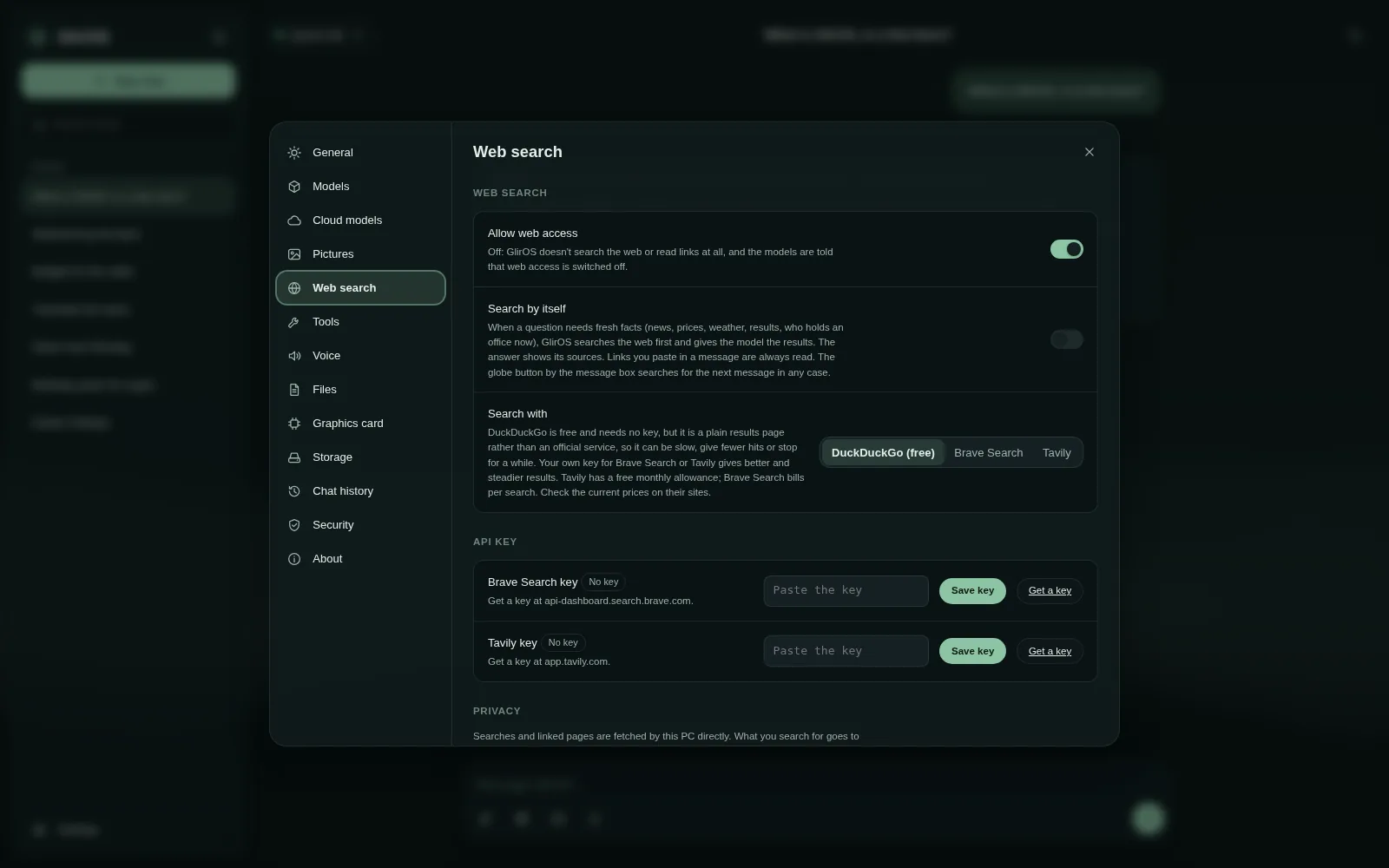
How it works
Chapters and what is said
- Welcome back to GlirOS. We're in a chat with a cloud model. Models only know what they learned in training, so for anything recent, let's give the chat the web. This takes about a minute.
- Open Settings at the bottom left, and choose Web search.
- Web access is allowed by default: that's this switch. Off means GlirOS never searches or reads links at all. Below it, choose how to search: DuckDuckGo for free, or your own key for Brave Search or Tavily, which gives steadier results.
- Search by itself lets GlirOS search on its own when a question clearly needs fresh facts, like news or prices. And a note on privacy: searches go through gliros dot com, which keeps no record of them beyond a short cache.
- Close settings, and look at the message box: the globe button. Click it, and the next message searches the web first, whatever the question.
- Let's try: What is GlirOS and where does it run? And send.
- GlirOS searches, reads the best page, and hands the results to the model. The answer comes back with numbered sources you can open, and 'How this answer was made' shows the search too.
- That's web search in GlirOS: on when you want it, off when you don't, and always with sources. Thanks for watching.
The models can't browse by themselves: GlirOS fetches the results and hands them over. Automatic search can be switched off in Settings > Web search; the globe button by the message box searches for the next message in any case.
Which search
The free search is DuckDuckGo (the web version fetches it through gliros.com, the desktop app from the PC itself). The user's own Brave Search, Tavily or Serper key, added in Settings > Web search, gives steadier results; in the web version the key stays in the browser and gliros.com only passes it on, never storing it. Serper gives Google's search results through Serper.dev, a paid service; Serper isn't connected with Google, the user uses their own Serper account on Serper's terms, and the service depends on Google's pages and could change or stop. Without web results a model knows the world only up to its training.
In the desktop app, Settings > Web search > Your own search server (marked Advanced: GlirOS works fully without it) can use SearXNG, a free search engine you run yourself (on a home server, a NAS or a VPS) that asks many search engines at once: put in its address, press Test and save, and the searches go straight from the PC to your server (its JSON format must be on in its settings.yml; SearXNG's own pages say how to set one up: https://docs.searxng.org/admin/installation.html). GlirOS doesn't run or provide one.
This guide is the same text GlirOS itself uses to answer questions about GlirOS.