Files, code and projects
Big jobs: plans step by step
For a big job with several parts – a program with several files, changing several files, finding things out and then writing, a long document – the model first makes a plan: a checklist shown in the answer.
Working through the plan
It then does one step at a time, ticking each off with a line on what it did, and looks over the whole job before its final answer. A program is written file by file: each step gets the files written so far, and Files and versions keeps each file whole with its versions.
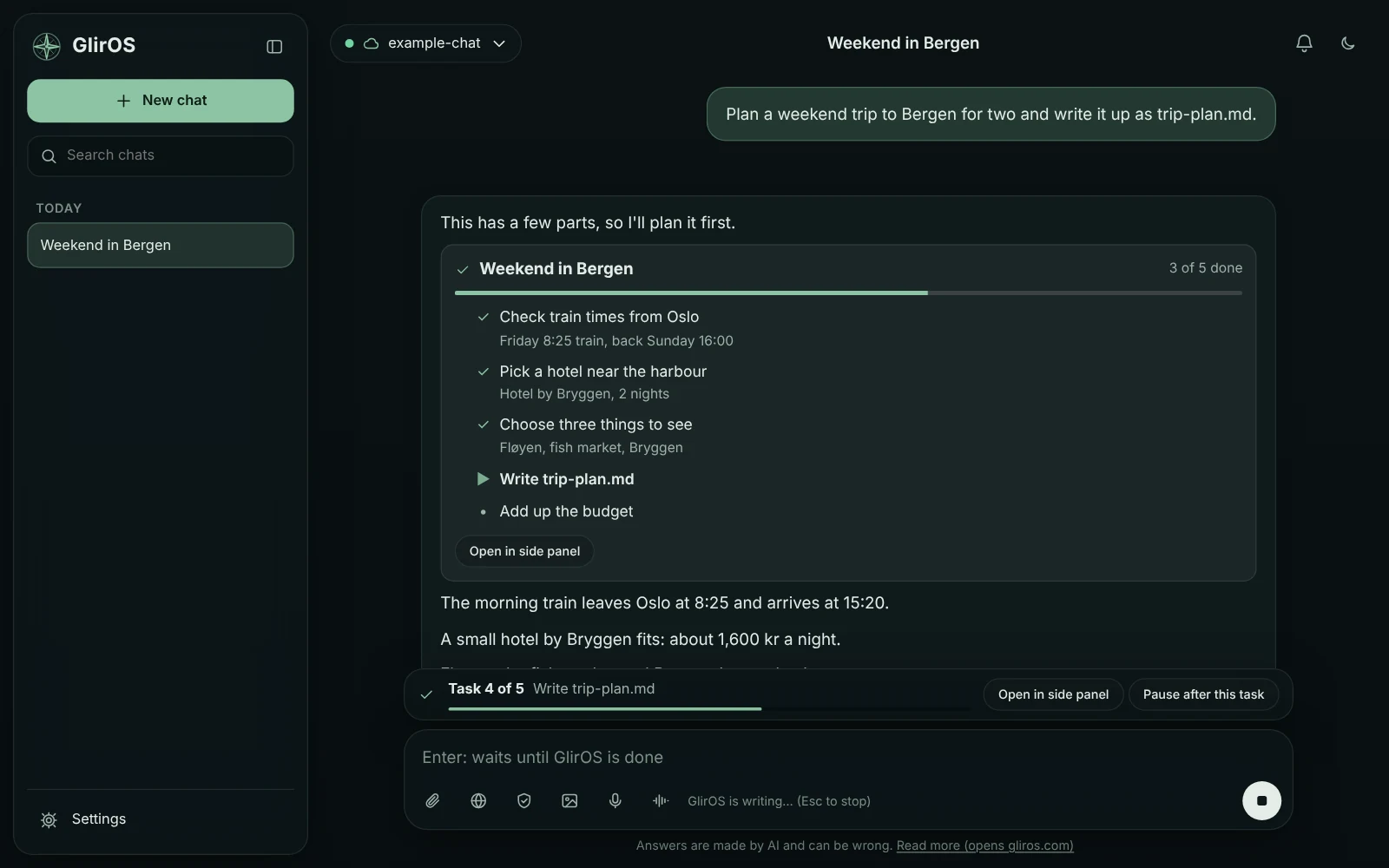
The task bar
For a plan of five tasks or more a bar above the message box shows the task in progress, with Tasks (add, reword or skip tasks in the side panel) and Pause after this task. A paused or unfinished plan shows Continue there and on the checklist.
Plans with small models
Small models (the GlirOS Helper, models under 2.5B) are led through the plan by GlirOS. For a program they first write a description and a plan, and when a bigger model is here the checklist offers Continue with that model, which builds it from the description (a cloud model says where it is sent).
Asking for a plan, and new jobs
Write "step by step" or "steg for steg" to ask for a plan. A new job while a plan is still open: GlirOS asks first – end the plan and start this, add this to the plan, finish the plan first and then this, or keep it paused – so two plans never run at once. Only a running plan shows ▶ and moves the bar; Continue is offered only when the plan can go on.
This guide is the same text GlirOS itself uses to answer questions about GlirOS.