Tools
Sports results and numbers
With the Sports lookup tool on (Settings > Tools, from the catalogue), a sports question is looked up, not guessed: a game's score and scorers, today's or live games, tables and top scorers, past champions, a player's goals per club, and "tell me about <team>" with read-more links.
How sure, and what is sent
Every answer says how sure it is (checked, one source, unsure, not found), when it was updated and where the numbers come from. A small pack of recent games and tables is downloaded and answers on the device; other questions send only the search words, a date, the language and the time zone to tools.gliros.com (no chat text, no user id).
Unclear names and live games
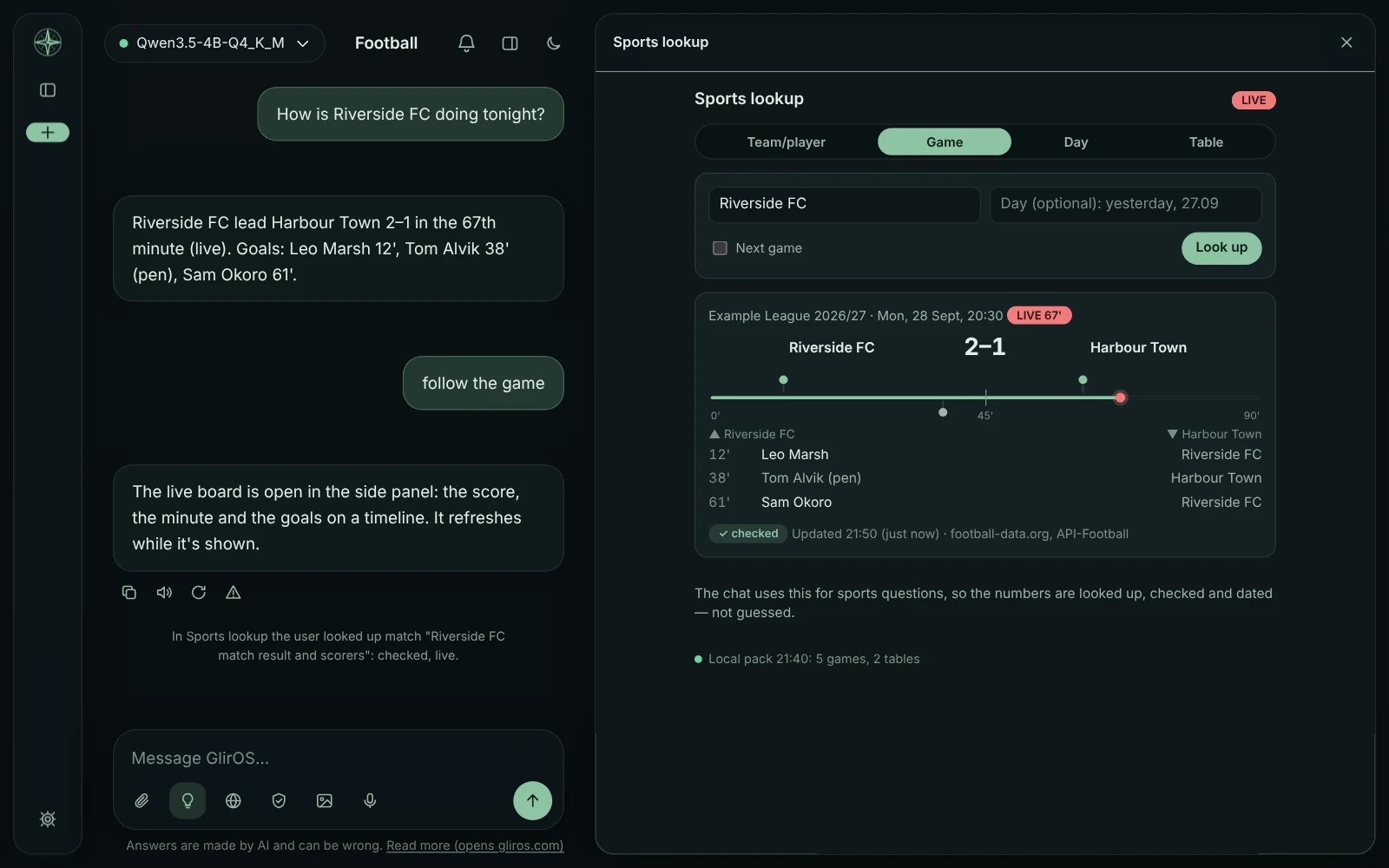
When a name fits more than one team, GlirOS asks which one with buttons; when the lookup is unsure or finds nothing, GlirOS checks the web too. "Follow the game" opens the live board in the side panel (score, minute, a timeline of the goals; it refreshes while shown).
Which sports
Football first, Norway's national team, Eliteserien, OBOS-ligaen and the cup included; for other sports games and tables come from the web. With the tool off, the model says its numbers may be out of date.
This guide is the same text GlirOS itself uses to answer questions about GlirOS.