Tools
Tools: the catalogue, switching tools on, the "/" list
Tools are small apps for GlirOS and the models.
Built in and from the catalogue
Chapters and what is said
- Welcome back to GlirOS. AI models are good with words and bad at counting. For exact answers, GlirOS has tools: small, sandboxed helpers that work things out on your device. Let's switch one on.
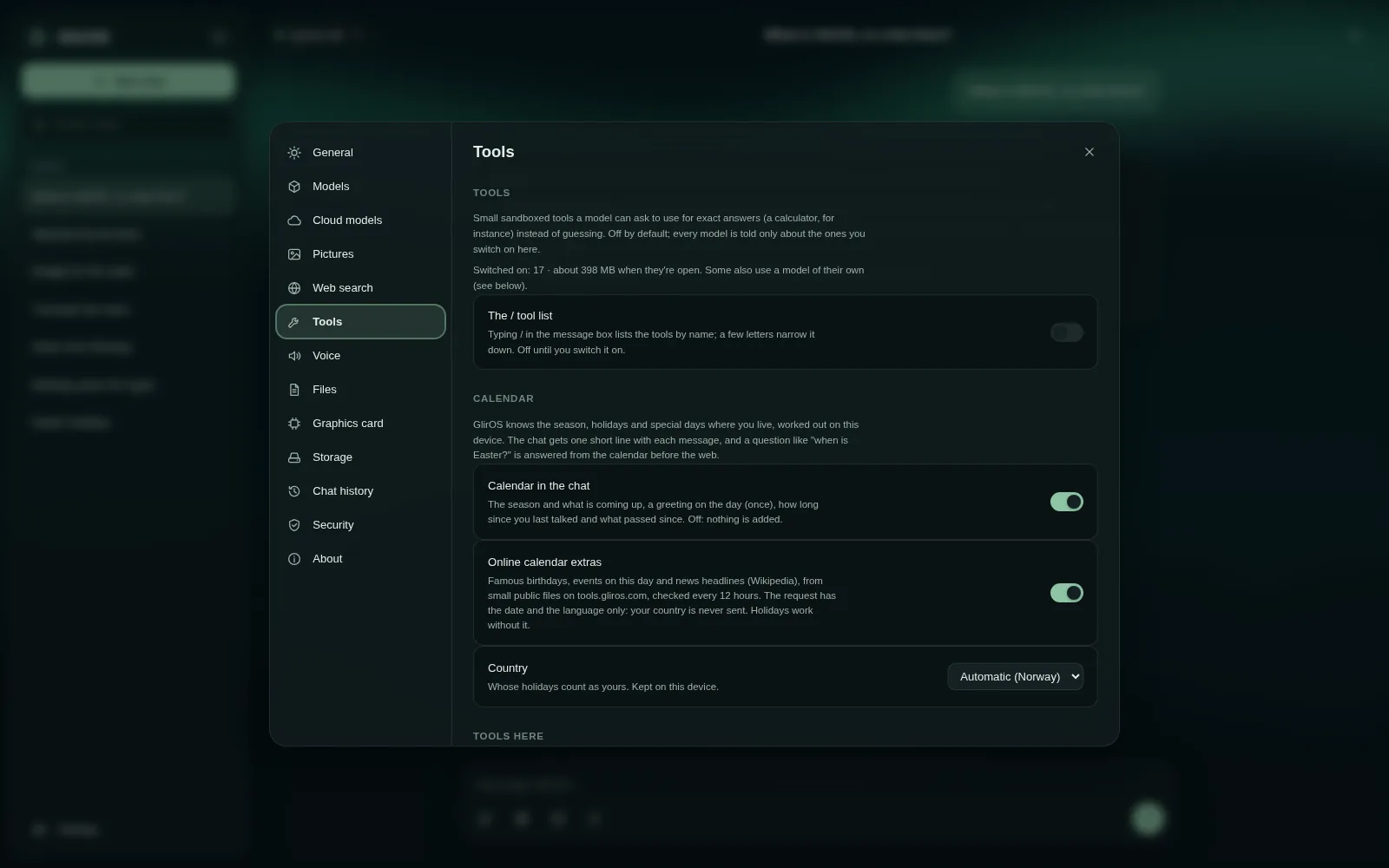
- Open Settings at the bottom left, and choose Tools.
- Every tool is off until you switch it on, and a model is only told about the tools you have on. Each one says what it does and how much memory it uses while open.
- We'll take Date and time: days between dates, weekdays, week numbers, the time in any place. Flick its switch, and a few things to try appear.
- Click: How many days until Christmas? It lands in the message box. Send it.
- Watch what happens: GlirOS runs the tool itself, before the model answers, so the number is exact, not guessed. The answer shows the tool it used, and you can open the tool's own panel.
- Here it is in the side panel, ready for your own dates. The model and you can both use it.
- That's tools in GlirOS: off by default, exact when you need them. Thanks for watching.
Built in:
- Calculator
- Advanced calculator
- Unit converter
- Date & time
- Text counter
- Timers & triggers
- My calendar
- My notes
- the ToolMaker for your own tools
From the tool catalogue (Settings > Tools > More tools):
- Translator
- Teleprompter
- Weather
- Currency
- Dictionary
- Encyclopedia
- Laws and rules
- Sports lookup
- Markets
- Timetables (Norway)
- Trip planner
- Map (Norway)
- Charts
- Data analyst
- Media gallery
- Website builder
- Code catalog
- Handcraft
- 3D shapes
- Picture to 3D
- Animation
- Avatars
- Voices
- Circuits
- SCORM
- Calendar & seasons
- Dice & random
- Tic-tac-toe
- Chess
- Clothing design
Switching tools on and using them
Settings > Tools switches them on and off; GlirOS offers a switched-off tool that would help. Ask "open the translator", or type / in the message box to list them (switch that on in Settings > Tools). GlirOS runs clear requests with a tool itself ("what is 17% of 2 350?").
Website hosts
Settings > Tools > Website hosts (desktop app): your own web host (SFTP or FTPS) for the Website builder to upload to; GlirOS asks each time and keeps the password in Credential Manager.
This guide is the same text GlirOS itself uses to answer questions about GlirOS.