How it works
Your GlirOS account
What an account is for, what it stores, your e-mail choices, subscriptions, and how to leave.
You don't need an account to use GlirOS. An account lets you:
- link your own PCs and open them from a browser anywhere (see How remote access works);
- share a tool's result as a link;
- use the community: the forum, and listing community tools;
- sell a tool you made (see Selling a tool).
Signing up
Sign up on app.gliros.com with an e-mail address and a password of at least 10 characters, then confirm the address with the link we send you (valid for 24 hours). You must be at least 13. Under the form you can choose which e-mail you would like from GlirOS; nothing is ticked for you.
Your account page
home.gliros.com shows:
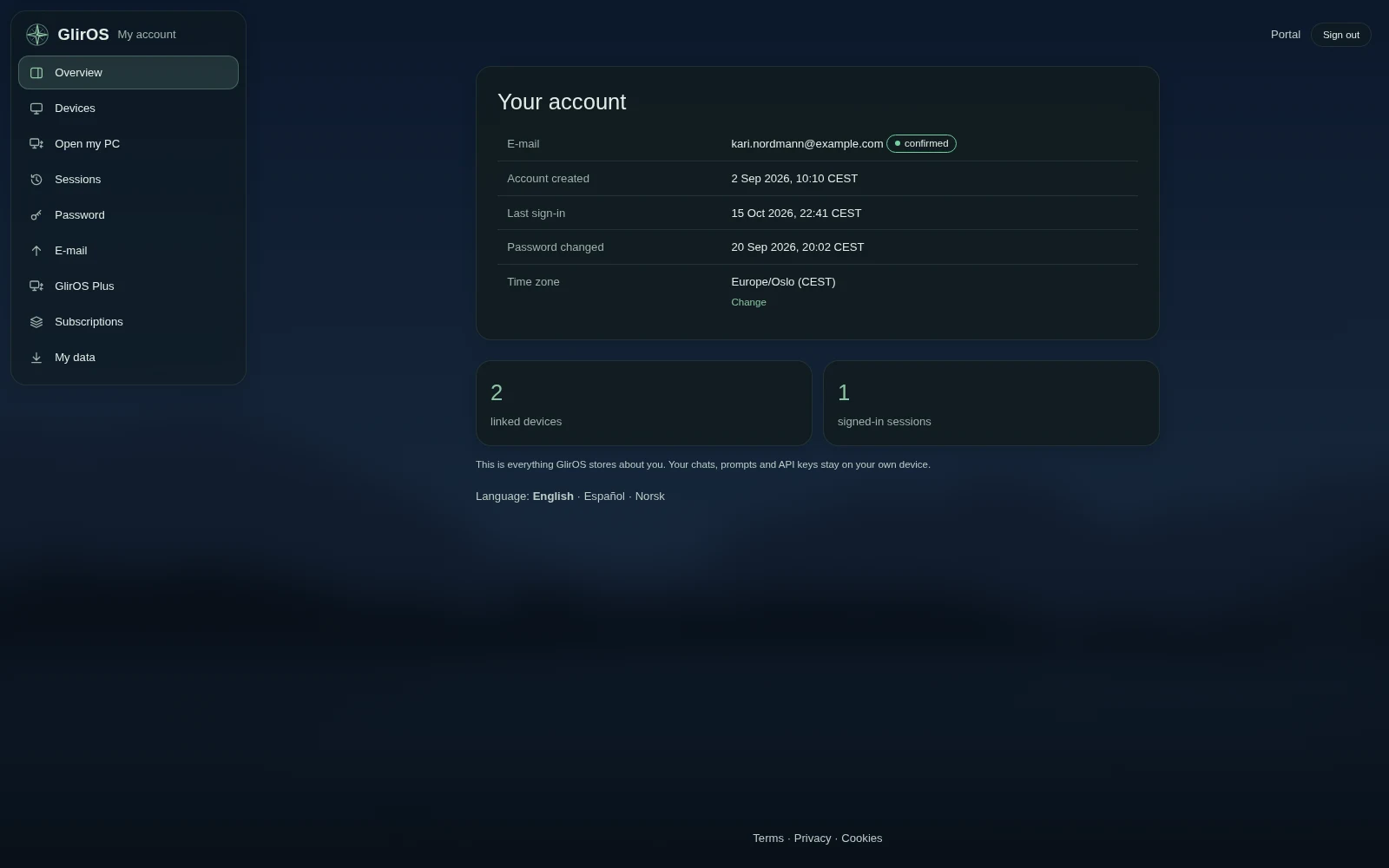
- Devices: link a new PC with a one-time code, rename or revoke one.
- Sessions: where you are signed in, and sign out everywhere else.
- Password: change it. Your other sessions are signed out.
- E-mail: what you would like from GlirOS: Newsletter, Solution updates and Tips and information, each on or off. Messages about your account, security and purchases always come.
- Subscriptions: what you pay GlirOS for (today: a tool's catalogue listing), with Payment and receipts and Cancel. Paddle is the seller: it takes the payment, adds VAT where due and sends the receipts.
- My data: download everything we store about you as a file, or delete your account.
Stopping e-mail
Every newsletter, update or tip has links at the bottom to stop that kind, or all of them, with one click and no sign-in. You can switch them on again on the E-mail page.
What we store
Your e-mail address, a password hash, a few dates, your e-mail choices, your linked devices' names and public keys, your subscriptions, and a 30-day security log. Never your chats, prompts, files or API keys. The full list is in the privacy policy.
Deleting your account
home.gliros.com > My data > Delete my account removes it at once, with your linked devices and sessions. Any subscription is cancelled at Paddle first, so nothing is charged afterwards; if that can't be done just then, the account isn't deleted and you can try again in a few minutes. Your posts in the community stay, anonymised as "Deleted user", and your tool listings are deleted. Chats on your own devices are not touched.