How it works
Community tools
Tools made and hosted by other GlirOS users: how to find, install and list them.
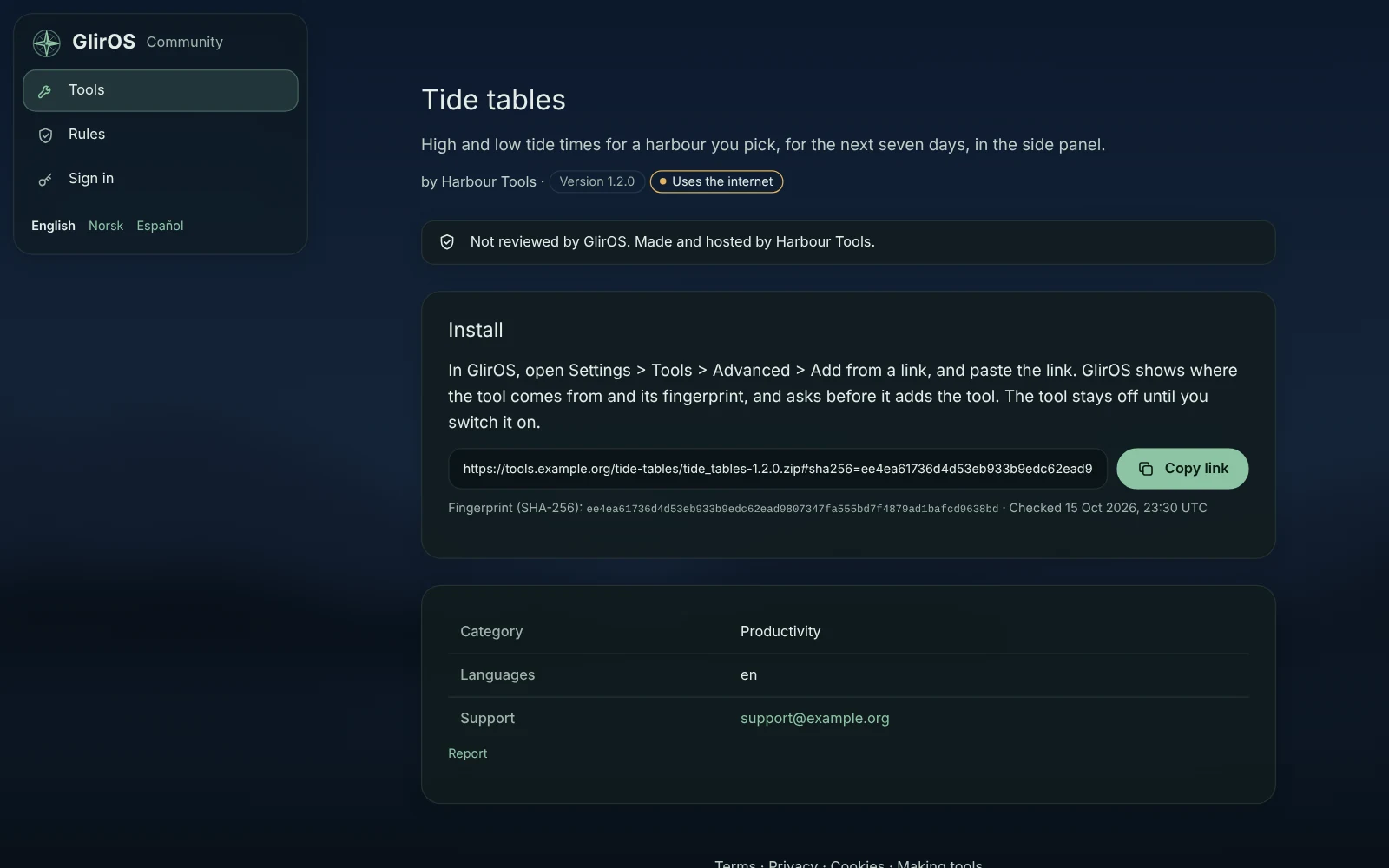
Community tools are home-made GlirOS tools that members of the community made and host themselves. They are listed on community.gliros.com/tools. GlirOS keeps only the listing, never the file, and doesn't review them: every listing says "Not reviewed by GlirOS. Made and hosted by …".
Finding one
Search the list or pick a category. Each card shows the name, the maker, the version, whether the tool uses the internet, and when the file was last checked. A maker can also share a private listing with a link.
Installing one
- Open the tool's page and accept the community tool terms (once per browser).
- Copy the install link.
- In GlirOS (0.0.88 or newer), open Settings > Tools > Advanced > Add from a link and paste it. GlirOS shows where the tool comes from and its fingerprint, and asks before it adds anything.
- The tool is off until you switch it on.
The install link carries the file's fingerprint (SHA-256), taken when the community checked the file. If the file has changed since then, GlirOS refuses it, so a file swapped after listing never installs. A listing whose file changed or is gone says so, with no install link, until the maker lists it again.
Community tools are kept apart like your own home-made tools: they can't share links or ask the model on their own, and you can switch one off, or its notifications, at any time.
Listing your own tool
You need a GlirOS account, a community display name, and to accept the maker terms once. Host the tool's zip yourself over https (GitHub Releases works), then use List a tool. The community downloads the file once and checks it: a valid tool.json, at most 40 files and 1 MB, an allowed id, and the network used only when declared. The result is shown item by item. A new version is a new link and a new check. See Making tools for GlirOS.
Something wrong?
Use Report on the tool's page (signed in), or contact us. Community tools are free; paid tools are in GlirOS's signed catalogue (see Selling a tool).