How it works
How GlirOS works with different models
A small model on your device, a bigger one on the graphics card, a strong one in the cloud: GlirOS leads each as much as it needs.
GlirOS works with any model: the small GlirOS Helper in your browser, bigger models on your PC's graphics card, and cloud models with your own API key. GlirOS works with all of them in the same way. What differs is how much GlirOS leads each one.
Small models get more, smaller steps
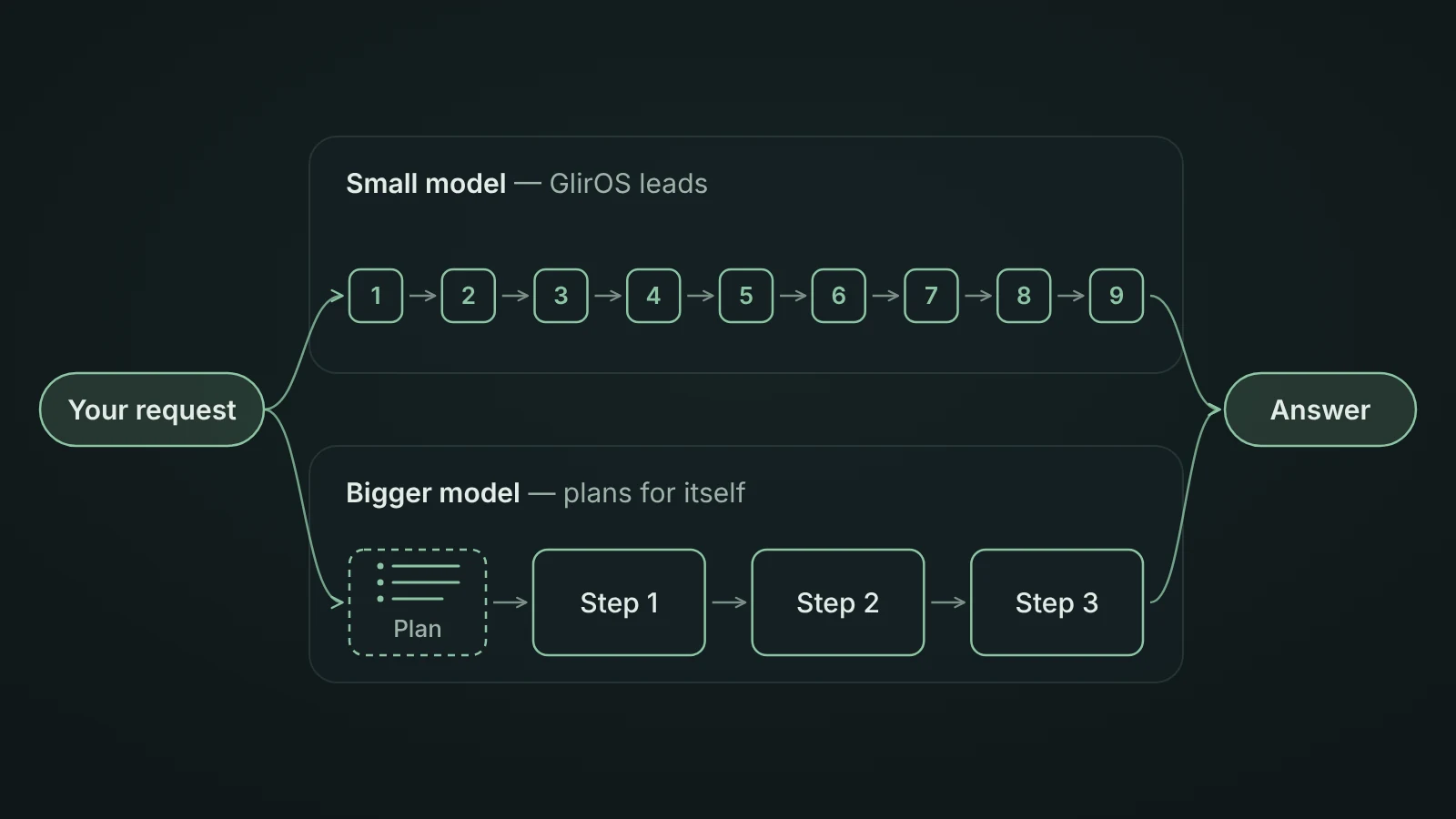
A small model (the GlirOS Helper and models under 2.5B) is led through a big job by GlirOS: GlirOS makes the plan and gives it one step at a time. With many tools switched on, it is told only their names, and the details of the tools a message is about come with that message. A job then takes more steps and more time, with each step kept small.
The GlirOS Helper is made for questions about GlirOS itself. For other work GlirOS says so and offers a bigger model, and for a job one of your tools does it offers Open that tool, because the Helper can't use tools.
Bigger models plan for themselves
A bigger model writes its own plan, a checklist in the answer, and does one step at a time, ticking each one off. In the desktop app, after a benchmark run, how much GlirOS leads a model on your PC follows how it did in the test, not just its size.
Cloud models: what you get, and what it costs
With your own API key (Settings > Cloud models) you can use Google Gemini, OpenAI, Anthropic or any OpenAI-compatible server.
- What you get: a strong cloud model can use the tools you have switched on and plan for itself, read pictures, and take in long documents, and nothing heavy runs on your PC.
- What it costs: what you send goes to that company, and GlirOS says so first. The company bills your own account. It needs the network: offline and incognito chats stay on your device. For short answers, a fast graphics card in your own PC can be quicker.
Find the right model for you
- Compare models (beta) in Settings > Models > Advanced sends your next message to two or three models and shows the answers side by side.
- The benchmark (Settings > Benchmark in the desktop app) gives any model the same test on your PC, with and without GlirOS's help, so you can see what the help changes for it. See How the benchmark works.
- Every model knows its name and what GlirOS adds. Ask it "what model am I talking to?".
GlirOS doesn't promise speed or savings it hasn't measured. More in the guide: Which model you are talking to, Big jobs: plans step by step and Cloud models.
Why every model makes mistakes, and what you can do about it: How AI works on www.gliros.com.