Files, code and projects
Projects: chats that share files, instructions and memory
A project groups chats that belong together.
Making a project
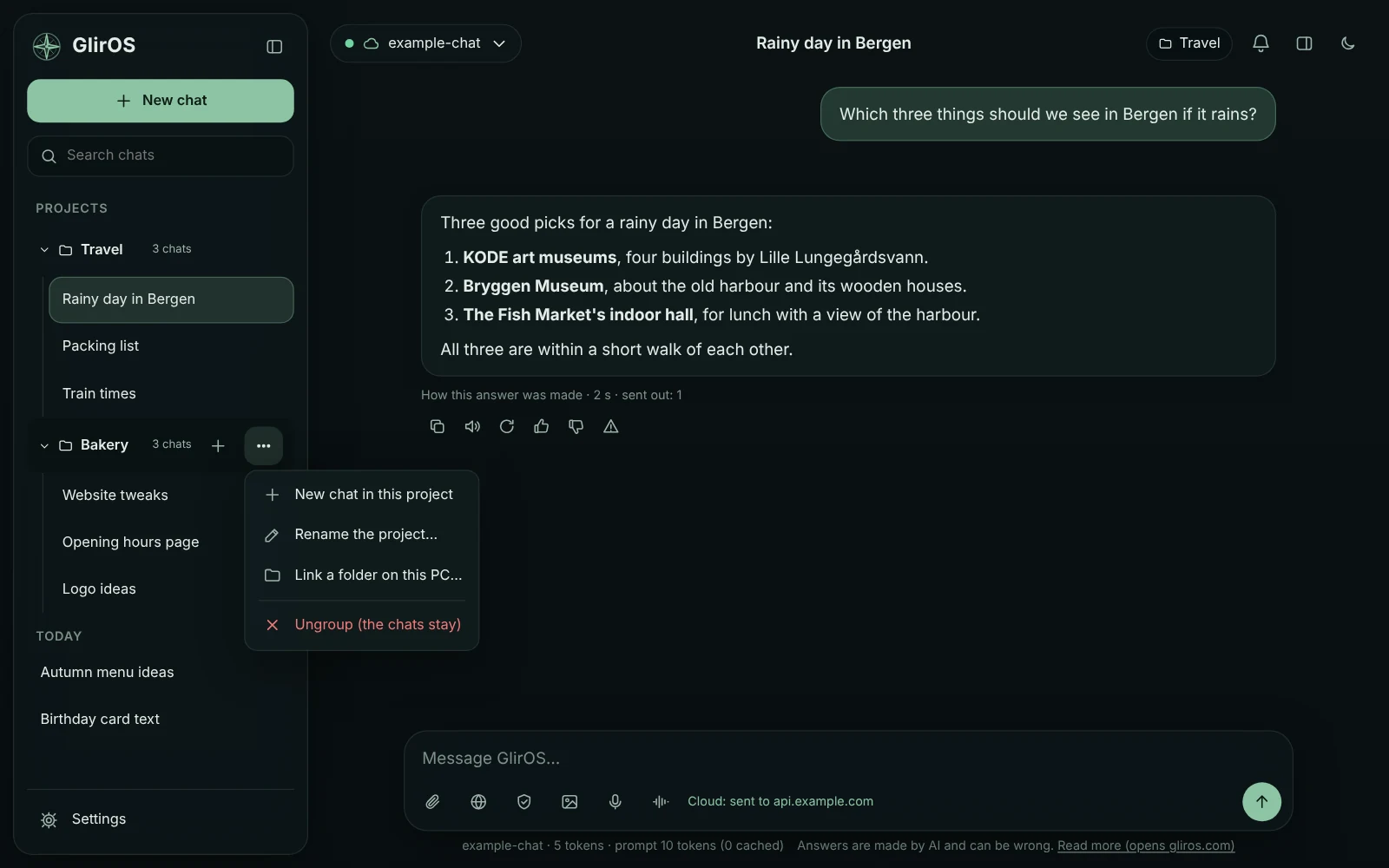
In a chat's menu (the three dots in the sidebar) choose "Add to a project…" and type a name, or pick an existing project. Projects are listed at the top of the sidebar as folders: open one to see its chats, use + to start a new chat in it, and its menu to rename or ungroup it (the chats stay).
Shared files
Chats in a project share their files: each chat can use the documents and books added in the others (the model gets the passages that fit, like in the chat itself) and the files with versions from the others (name a file, e.g. "update app.js", and its current content comes along).
The folder chip next to the chat title shows the project; click it to see all its files in the side panel, grouped by chat (files from other chats are read-only there: editing one saves a copy in this chat). With a cloud model, passages from the project's files are sent to that company with your messages.
Instructions and memory
A project's menu (the three dots on the project) has "Instructions and memory…": write what every chat in the project should know or do ("answer in Norwegian; the house is from 1978, 140 m²") and keep facts for the project. They go with every message in the project's chats, from the next one; a small dot on the project shows it has some. A chat's own menu has the same for that chat only, and a chat's own instructions win when the two disagree. Saying "remember that …" in a project's chat keeps it for the project (the notice has "Only this chat" to keep it for the chat instead), and "what do you remember?" lists every level.
Moving a chat into a project gives it the project's instructions, memory, folder and the other chats' files; its own instructions and memory go with it. Taking it out keeps its own and leaves the project's behind. Renaming a project carries its instructions and memory; ungrouping asks whether to delete them (kept, they come back when chats are grouped under the same name again).
A big model, or a cloud model, gets them in full. A smaller one gets a short version, made once by the model with every number and date kept; the editor shows it, and you can write it yourself. With a cloud model they go to that company with your message (said the first time). Never in an incognito chat or for the GlirOS Helper.
This guide is the same text GlirOS itself uses to answer questions about GlirOS.