More
Sound Studio: mixing, recording and cleaning up sound
Sound Studio is a mixer in the side panel. Open it by asking ("open the sound studio"), with /sound, or with Open in Sound Studio on a sound's card.
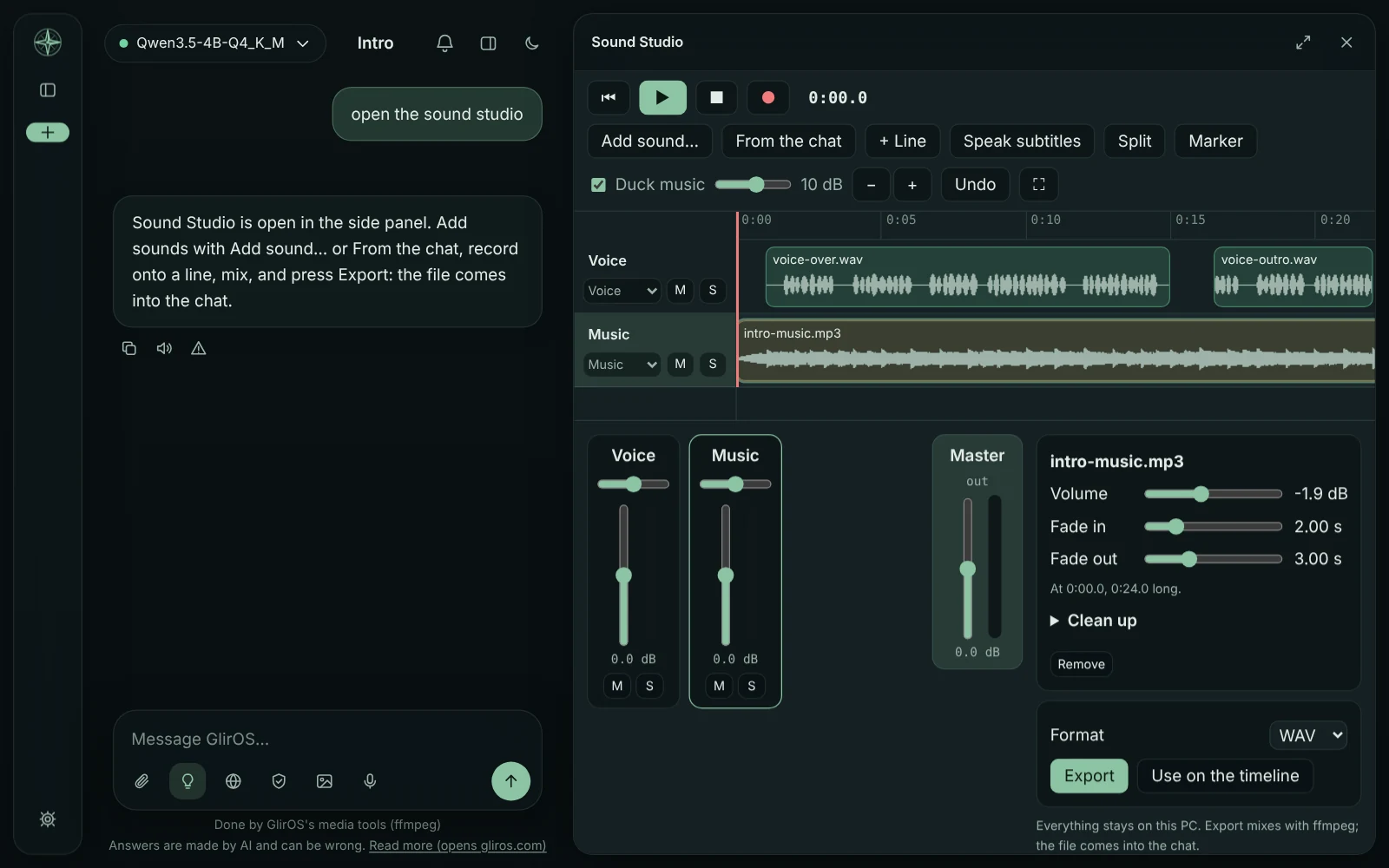
Lines and blocks
Add sounds with Add sound… or From the chat (the chat's sounds and videos), or drop files on it. Each line is voice, music, effects or other, with its own fader, pan, Mute and Solo. Drag blocks along a line or to another, trim their ends, split at the playhead (S), add markers (M), Undo (Ctrl+Z), and Full screen (F). Duck music lowers the music lines while a voice line is heard.
Recording and cleaning up
Record puts a take from the microphone on the selected line while the others play. Select a block for its volume, fades and Clean up: take out rumble, steady background noise, sharp s sounds and long silences, and even out the loudness for speech, a podcast, music or broadcast. The clean copy comes into the chat and takes the block's place, the original stays.
Export and where it is kept
Export mixes everything into one file in the chat (the desktop app: WAV, MP3, AAC, FLAC or Opus with ffmpeg; the web version: WAV, made in the browser); Use on the timeline puts the mix on Media Studio's sound line. The mix is kept with the chat (never in an incognito chat), and nothing leaves the device.
This guide is the same text GlirOS itself uses to answer questions about GlirOS.