Pictures, video, 3D and voice
Media Studio timeline: subtitles, turned texts, crop and the red line
On the timeline, Text opens a menu: a text at the red line, or subtitles from the chat, from an SRT or VTT file on this PC, or from the clip's speech (written down on this device; the subtitle file is kept in the chat).
Each subtitle becomes its own text block at its time, over the three text lines when they overlap: move, stretch, edit or delete each one. A text holding pasted subtitles has Split into blocks.
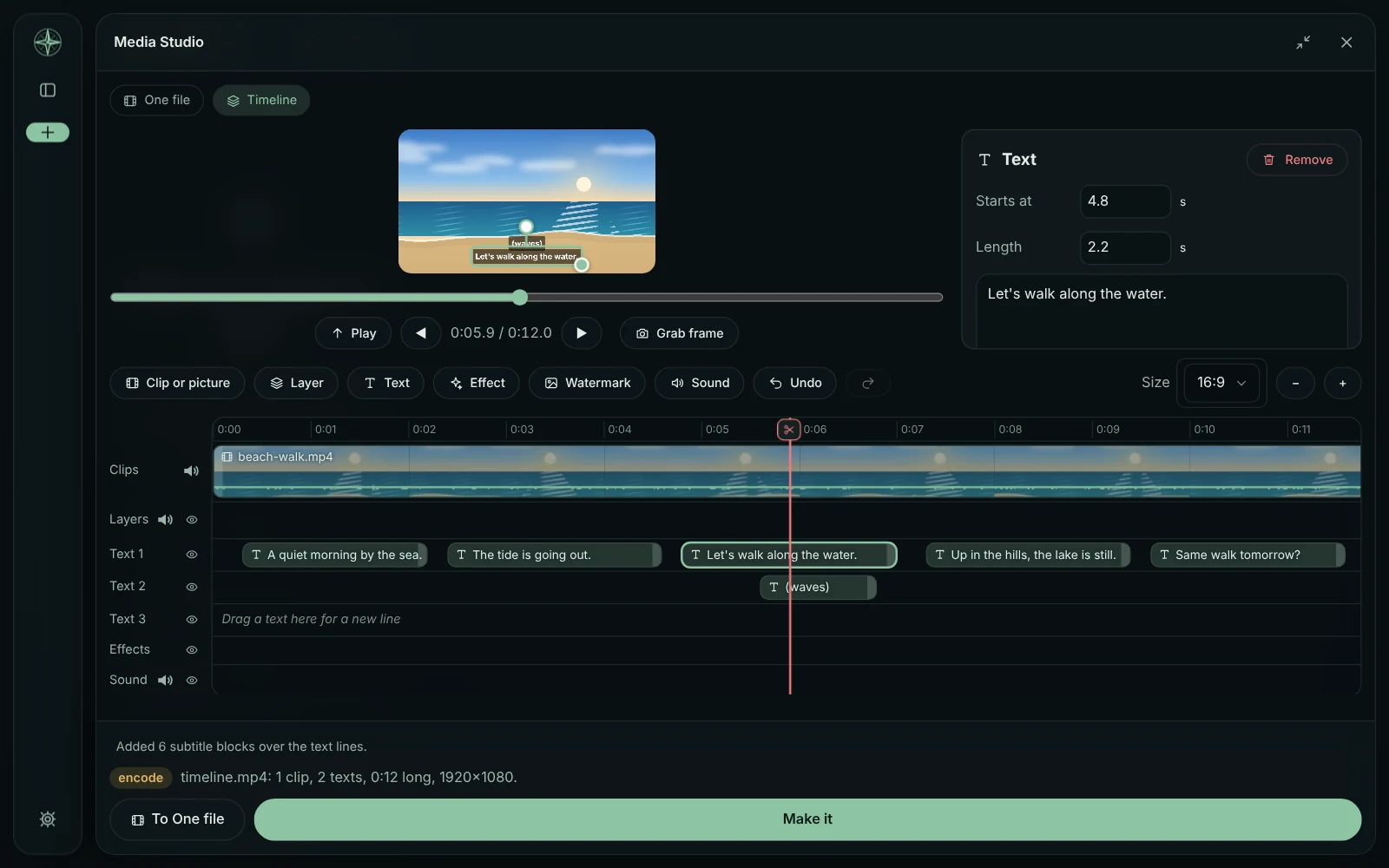
Angle turns a text (chips and a slider), or drag the round handle above it in the preview (Shift: 15° steps). A clip's Add a part has Crop right there (a shape, or each edge).
The red line moves with the scrub bar under the preview, ◀ ▶ (or ← →) step one frame, and ✂ can be dragged (a click cuts). Moving One file's work to the timeline asks first when changes aren't made yet.
This guide is the same text GlirOS itself uses to answer questions about GlirOS.