Tools
Notifications: the bell
The bell at the top shows notices from GlirOS and from tools: a timer's reminder, a long answer, plan, media job or download that finished or failed, and a tool that needs you.
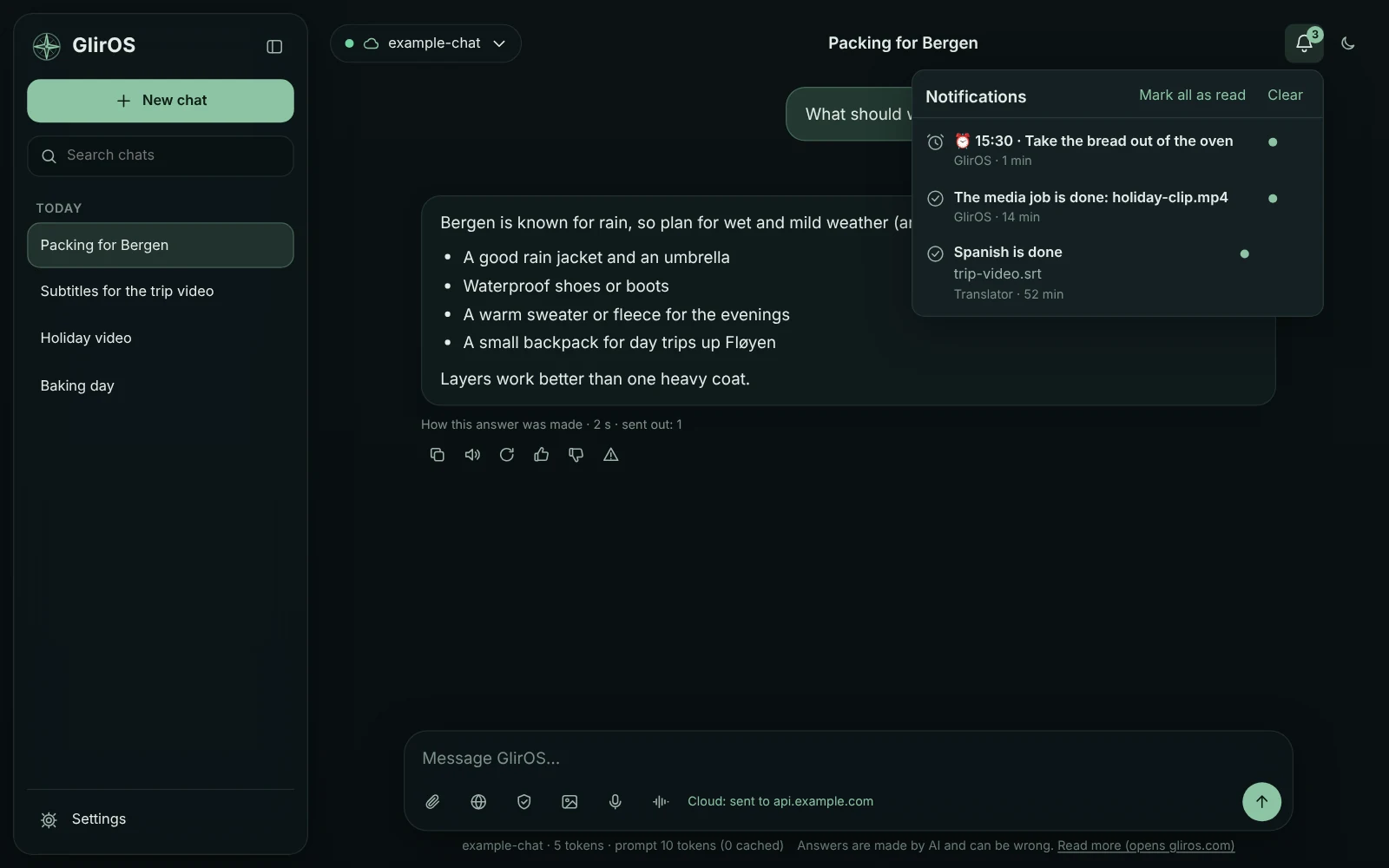
The number counts the unread ones; the list has Mark all as read, Clear, × per notice and a mute button per tool, and a click opens what the notice is about.
Toasts and Windows notices
Elsewhere in GlirOS a notice is a small toast; with GlirOS in the background the desktop app uses the Windows tray and the taskbar, the web version a browser notification (only once you allow it).
Notification settings
Settings > Notifications: on or off, in and outside the app, sound, details outside the app, do not disturb, quiet hours (reminders still come), the five kinds and each tool. Notices from incognito chats show no content and are never kept.
Tips under an answer
Tips: after a quiet while in a chat, GlirOS may show a short tip under the last answer about a tool the chat used; Show examples gives a few things to try with it (a button fills the message box, it doesn't send). At most one tip a day, never in incognito chats; Settings > Notifications > Show tips turns them off.
This guide is the same text GlirOS itself uses to answer questions about GlirOS.